Web UI Design
Project overview
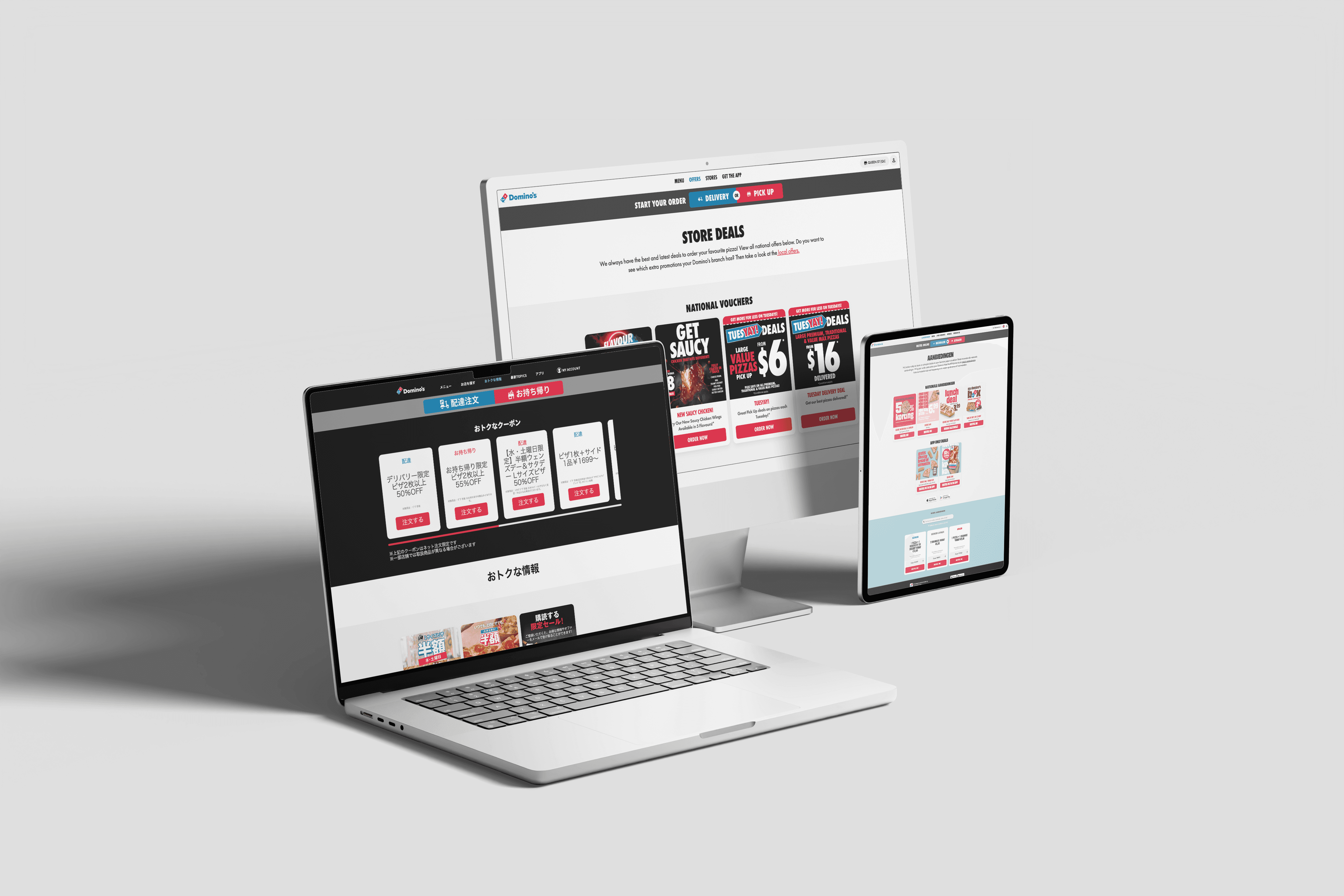
Redesigned Domino's Australia's core pages, improving offer discoverability, store clarity, and campaign velocity while establishing visual consistency with the new brand. Also built a reusable module system for marketing landing pages. The redesign was later adopted globally across 10 markets.
Tool
Figma · UserTesting · A/B Testing · Jira
Role
UI/UX Designer
Challenges
In Australia
Domino’s had rebranded, but only the homepage reflected it. Key subpages like Offers and Store still felt outdated: text heavy, low visual hierarchy, off brand, and hard to scan.
Globally
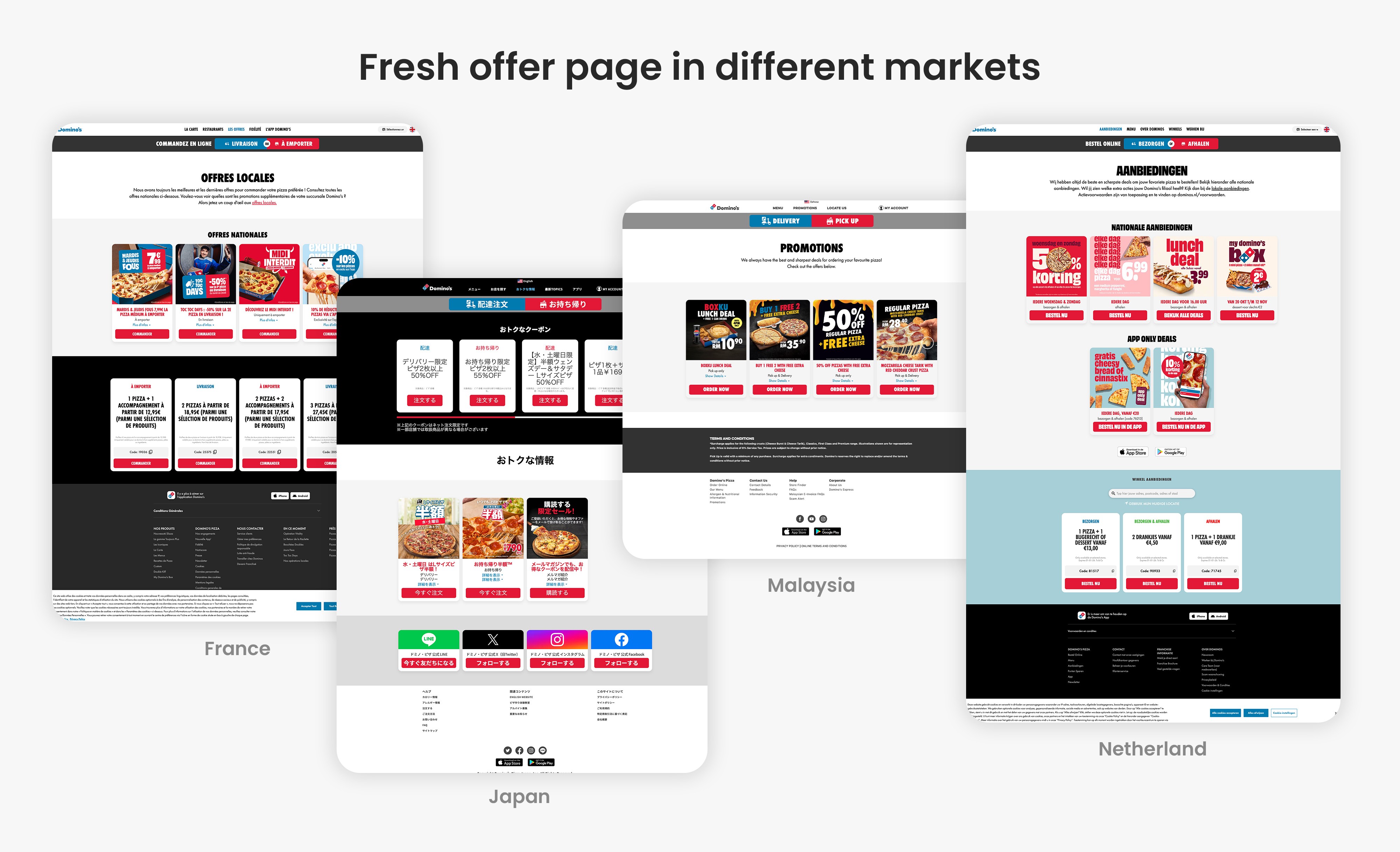
Domino's holds the franchise rights for 12 countries. Across 12 markets, each region maintained its own site with different layouts and standards. Campaign pages were built from scratch every time, creating inconsistent experiences and slowing launches.
What I did
01
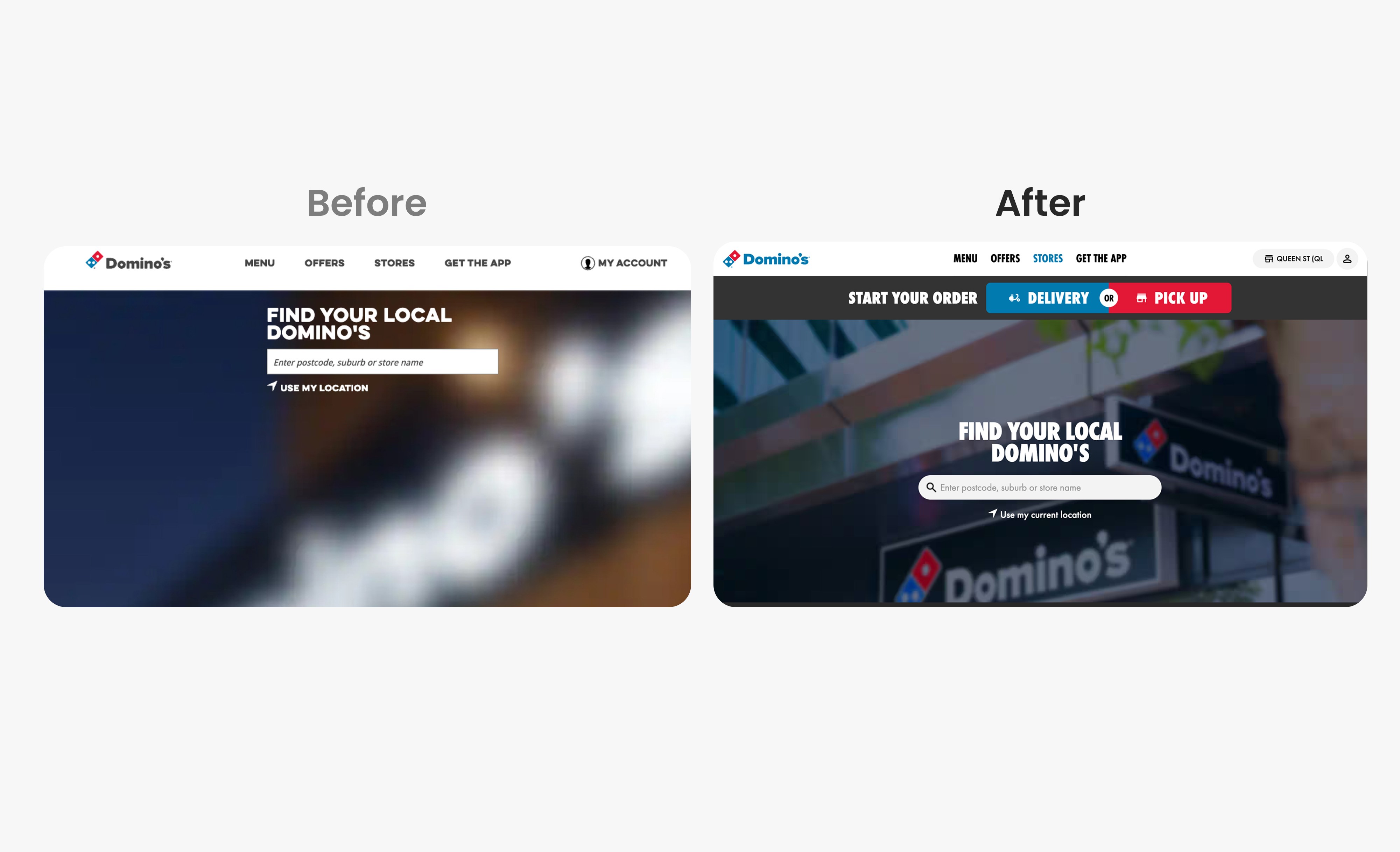
Service Selector Redesign
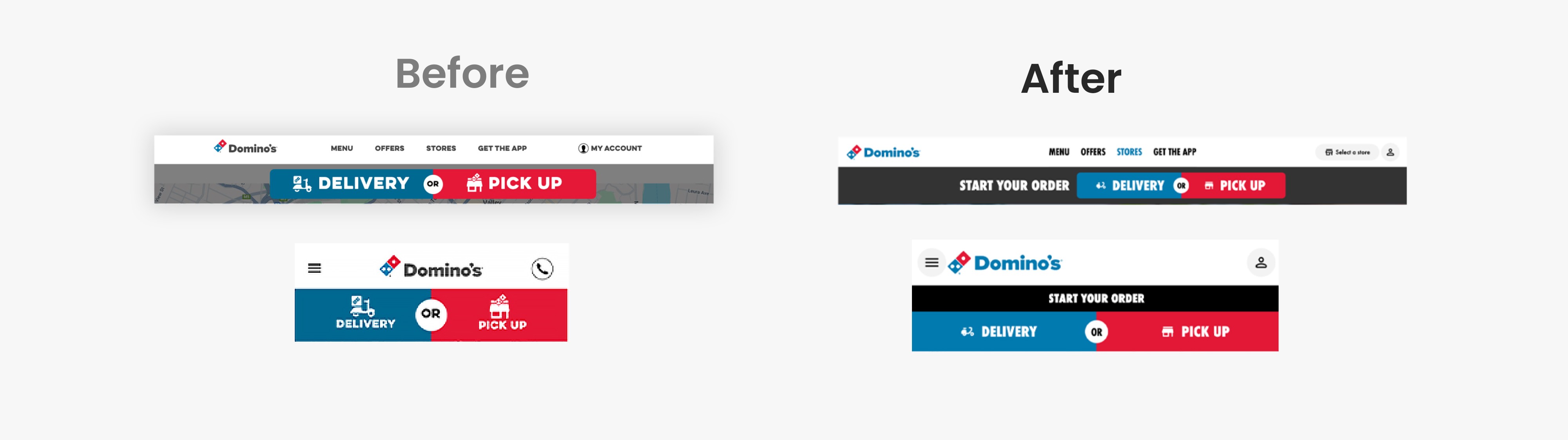
The Service Selector required visual alignment with the new brand and design system while maintaining the strengths users valued from the legacy design.
I tested three design variations with users. Results showed users preferred the new sleek typography and visual style but valued the compact mobile layout from the legacy version.
The final design combined both—new brand standards with the compact mobile experience. The validated approach was adopted as part of the global design system, establishing a consistent entry point for the ordering experience across multiple markets.
02
Offer Page Redesign
Research & Problem Identification
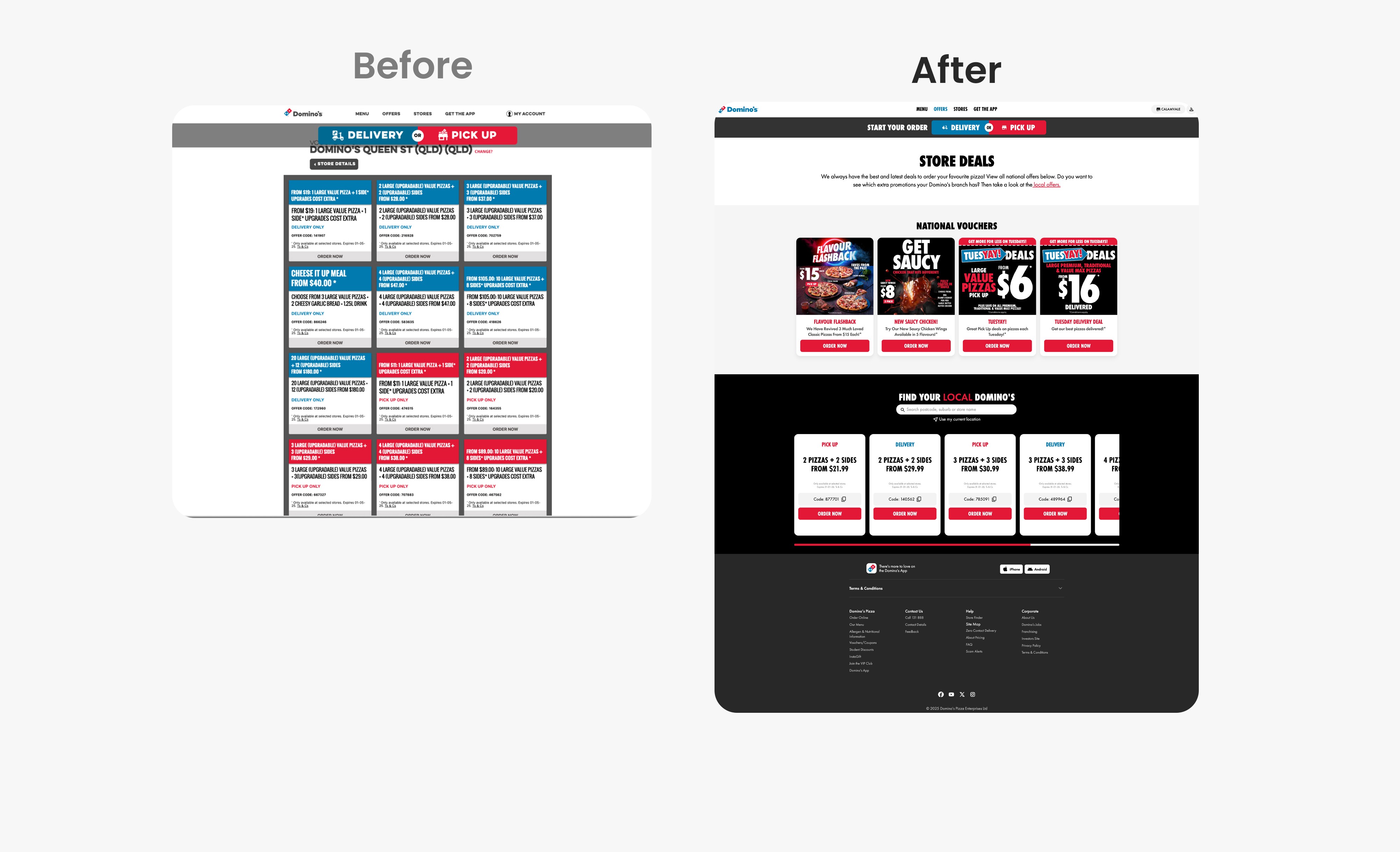
Through analytics review and user testing, I identified three critical issues with Offer page:
67% of users abandoned before seeing deals (location gate)
CTAs weren't clearly prioritized (heatmap analysis)
Delivery vs pickup offers confused new users (5/8 test participants)
Design Decision & Strategy
Based on research showing national offers had highest engagement potential, I restructured the information architecture to:
Surface national offers immediately (no location required)
Position local offers below for users wanting store-specific deals
Differentiate offer types with clear labels, not just color
Validation
Netherlands A/B test: +3.52% progression, +0.80% conversion
Australia deployment: +24% desktop progression
Deployed globally across 10 markets based on validated results.
Bonnie's UI designs have been successfully deployed across our website in 10 countries. Most notably, when her redesigned offers page went live, it generated an additional $57K in weekly sales, results we simply couldn't have achieved without her expertise.
— Celene Grantham, Digital CX Design Lead, Domino's
03
Store Page Redesign
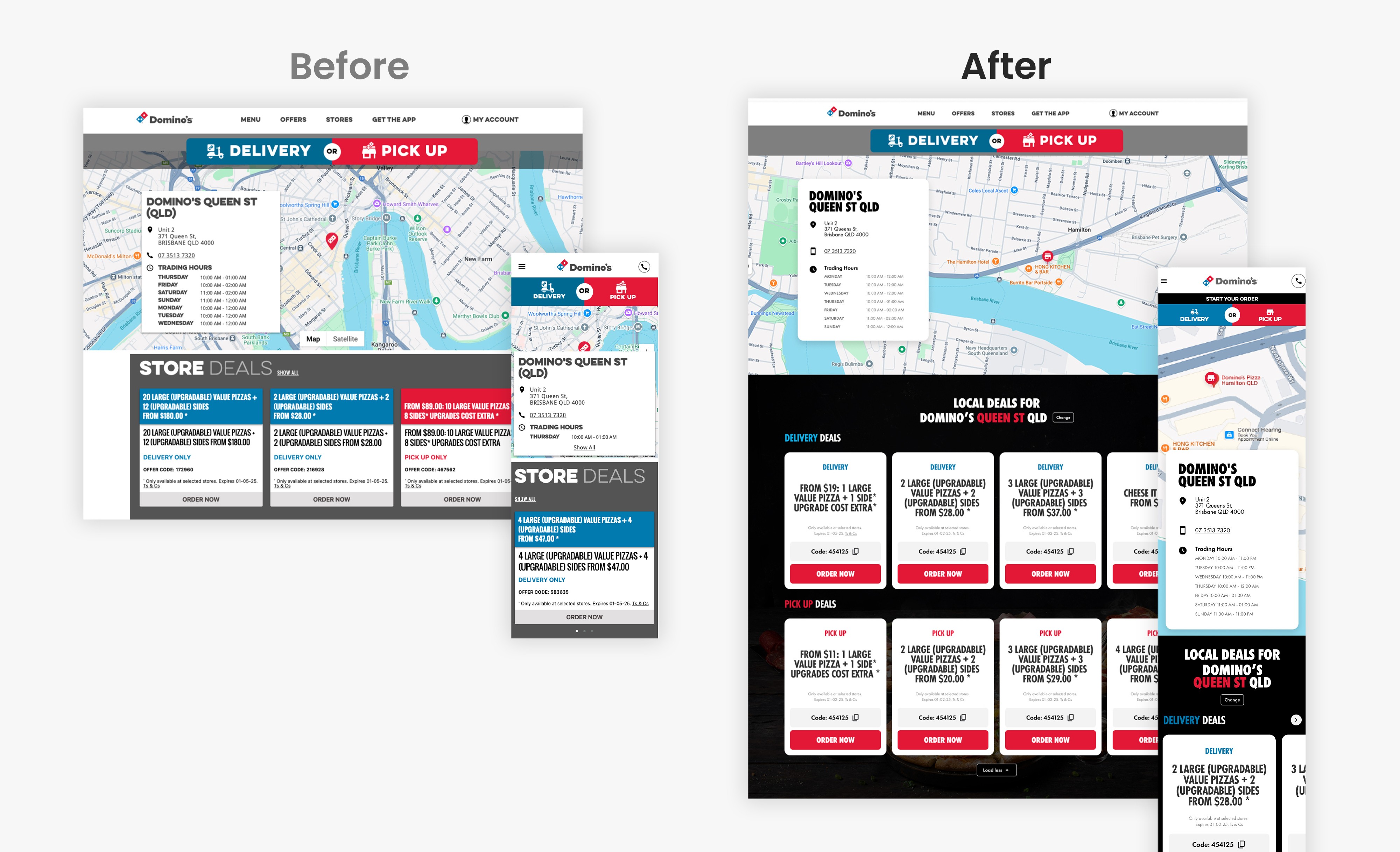
The Store page required visual alignment with the new brand and clearer paths to action. The legacy design had several UX issues: users had to click "View All" to see deals (many missed this based on testing), CTAs weren't prominent, and delivery vs pickup offers were only differentiated by colour without clear labels—confusing for new users.
The redesign separated delivery and pickup deals into distinct categories with clear headings, made CTAs more prominent, and surfaced offers directly on the page without requiring extra clicks.
Usability Testing Methodology
Pre launch, I conducted comparative A/B testing with 5 participants per platform:
Task: Find and view store offers without assistance
Tested: Legacy design vs new design
Metrics: Task completion time, error rate, user preference
Desktop Results (5/5 preference for new design)
Zero navigation errors (vs 60% in legacy)
Users cited "clearer CTAs" and "better offer visibility"
Mobile Results (3/5 preference)
Main concern: Horizontal browsing not intuitive
Improved readability with larger text hierarchy and higher contrast
Design Iteration
Based on feedback, I updated the mobile experience with more prominent directional arrows, demonstrating how user testing directly informed design decisions.
04
Landing Page Module Library
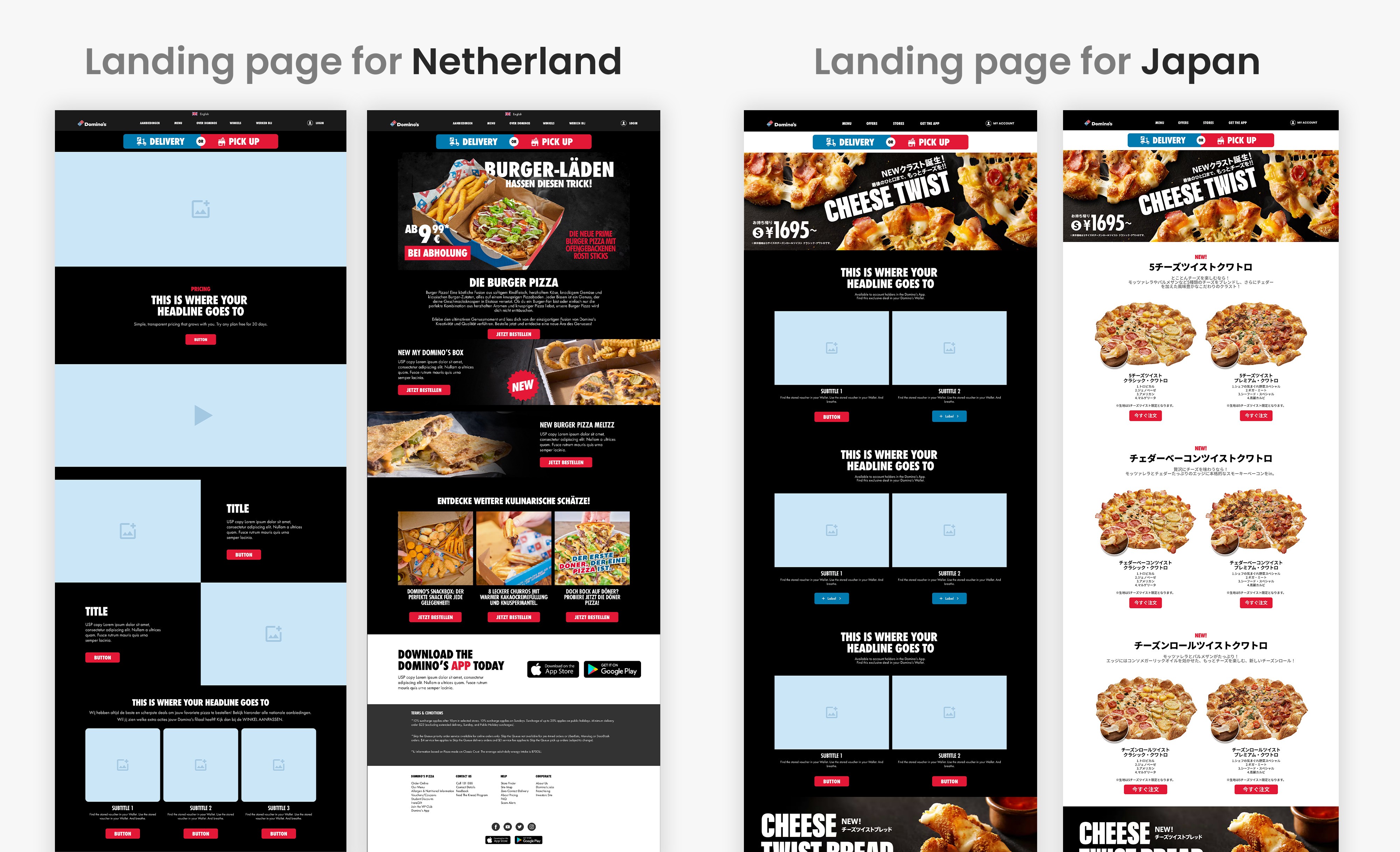
To ensure consistency across markets while allowing regional flexibility, I established a modular design system with three key components:
Reusable Components
Created a library of page modules (hero blocks, offer cards, CTAs) with documented usage guidelines. Each component was designed to work independently or in combination, allowing teams to assemble pages without starting from scratch.
Documentation & Guidelines
Built comprehensive documentation in Figma covering:
Component usage and variations
Responsive behavior across devices
Marketing landing page templates and use cases
Enablement & Support
Provided 30-minute implementation sessions to regional teams, ensuring they could customize and deploy the system confidently. This self-service approach reduced dependency on the design team while maintaining quality standards.
Result: 10 markets adopted the system, with regional teams able to launch campaigns way faster while maintaining brand consistency.
Reflections
This project stretched across a year as part of a broader design system effort. Balancing speed with thoroughness meant some decisions moved quickly based on existing research, while others required new testing. One key trade-off was scope versus consistency. Regional teams wanted customisation, but too much flexibility would undermine the system's purpose. We landed on a framework that provided approved building blocks while maintaining structural consistency.